





If you want your website to appear on the first page of Google, guessing is not a strategy. The best SEO tools show you what people search for, why competitors outrank you, which technical problems are holding your site back, and which links are helping (or hurting) your authority. Without data, SEO is trial and error. With the right tools, it becomes a repeatable process.
The challenge is that there are hundreds of options. Some are free, some cost hundreds of dollars a month, and many do the same thing under different names. This guide cuts through the noise. You’ll learn what SEO tools actually do, which ones are worth using in 2026, how free and paid options compare, and how to build a simple toolkit that fits your budget, whether you run a small blog, an online store, or a multi-topic website like The Seecom.
We’ll also cover a newer category that matters more every month: tools that help you understand and improve your visibility in AI-driven search such as Google AI Overviews, ChatGPT, Perplexity, and Gemini.
Quick Answer: What Are the Best SEO Tools?
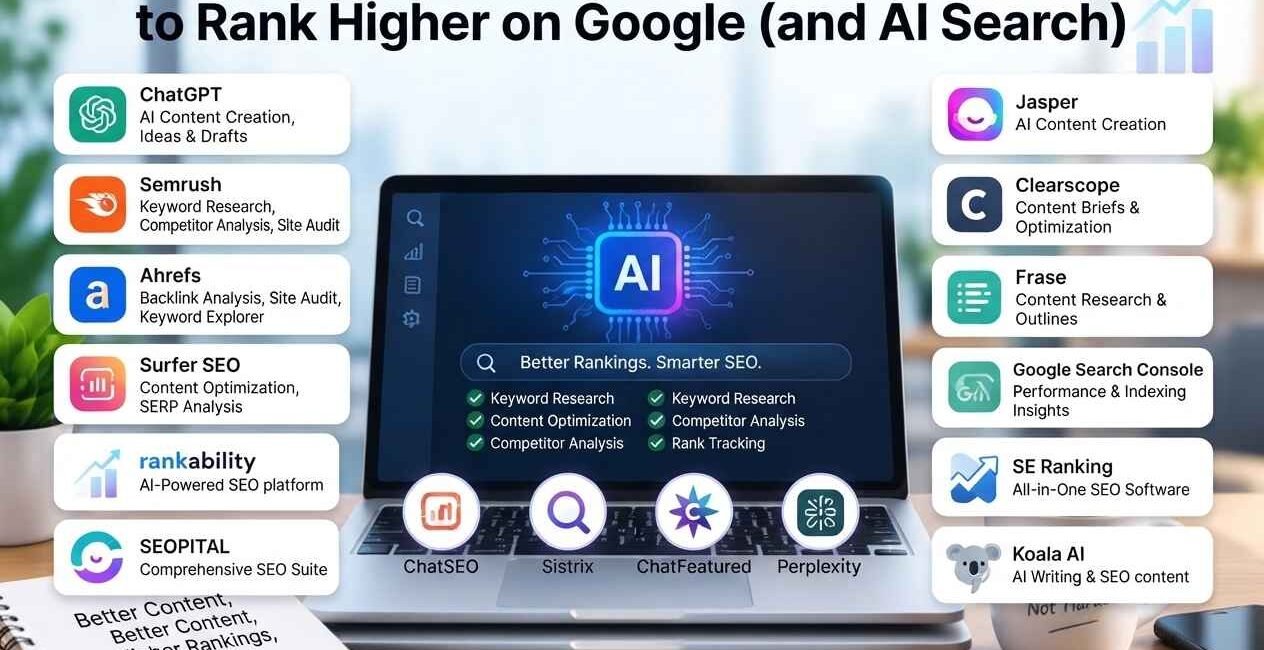
The best SEO tools in 2026 are Google Search Console and Google Analytics (free, essential), Semrush or Ahrefs (all-in-one paid suites), Screaming Frog (technical audits), Yoast SEO or Rank Math (WordPress on-page SEO), and Google Keyword Planner or Ubersuggest (keyword research on a budget). Most beginners can start with free tools and add a paid suite once their site starts earning.
1. What Are SEO Tools?
SEO tools are software products that help you analyze, improve, and monitor how your website performs in search engines. They collect data that would be impossible to gather manually, such as search volumes for thousands of keywords, the backlink profile of any domain, or a list of every broken link on your site.
In simple terms, SEO tools answer questions like:
- What are people searching for, and how hard is it to rank for those searches?
- Why is a competitor ranking above me?
- Is my website technically healthy, fast, and easy for Google to crawl?
- Is my content complete enough to satisfy the search intent?
- Who links to me, and are those links valuable?
- Am I appearing in AI-generated answers?
No single tool does everything perfectly, which is why most professionals combine two to five tools rather than relying on one.
2. Why SEO Tools Matter
Search engines use hundreds of signals to decide which pages deserve to rank. You cannot see most of those signals with the naked eye. SEO tools translate them into data you can act on.
They save time. Manual keyword research or a full site audit can take days. A good tool does it in minutes.
They reduce guesswork. Instead of guessing which topic might bring traffic, you can see estimated search volume, keyword difficulty, and the pages currently ranking.
They reveal opportunities. Content gaps, low-competition keywords, and easy backlink targets are often invisible without a tool.
They catch problems early. A sudden drop in indexed pages, a slow-loading template, or a spike in broken links can quietly cost you traffic for months if nobody notices.
They let you measure results. SEO is a long game. Tools give you proof of progress long before revenue arrives.
3. Types of SEO Tools
Before looking at specific products, it helps to understand the main categories:
| Category | What It Does | Example Tools |
|---|---|---|
| Keyword research | Finds search terms, volume, difficulty | Google Keyword Planner, Semrush, Ahrefs |
| Technical SEO / audits | Finds crawl, speed, and indexing issues | Screaming Frog, Google Search Console |
| On-page / content | Optimizes titles, headings, readability | Yoast SEO, Rank Math, Surfer |
| Backlink analysis | Shows who links to you and competitors | Ahrefs, Majestic, Moz |
| Rank tracking | Monitors keyword positions over time | SE Ranking, Semrush |
| Local SEO | Manages listings and local rankings | Google Business Profile, BrightLocal |
| Analytics | Measures traffic and behavior | Google Analytics, Search Console |
| AI / LLM visibility | Tracks mentions in AI answers | Emerging tools plus manual testing |
Now let’s look at the best options in each category.
4. Best Keyword Research Tools
Keyword research is the foundation of SEO. Every successful article starts with a keyword that has real demand and realistic competition. Look for evergreen topics with steady search volume and a manageable keyword difficulty (KD).
Google Keyword Planner
Google Keyword Planner is free with a Google Ads account. It shows search volume ranges and keyword ideas straight from Google’s own data. The volume numbers are grouped into ranges unless you run ads, but it is still excellent for discovering related terms. Best for: beginners and anyone on a zero budget.
Semrush
Semrush is one of the most complete SEO suites. Its Keyword Magic Tool generates thousands of ideas, and its Keyword Difficulty score helps you find winnable topics. It also covers competitor research, site audits, and backlink analysis in one dashboard. Best for: agencies, serious bloggers, and anyone who wants an all-in-one platform.
Ahrefs
Ahrefs is famous for its huge backlink index and its Keywords Explorer, which shows clicks, parent topics, and difficulty. The Content Gap feature quickly reveals keywords your competitors rank for that you do not. Best for: in-depth competitor and backlink research.
Ubersuggest
Ubersuggest offers a friendlier and more affordable entry point, with keyword ideas, content suggestions, and a basic site audit. Best for: small businesses and new site owners.
AnswerThePublic
AnswerThePublic visualizes the questions people ask around a topic (who, what, why, how). This is gold for FAQ sections and long-tail articles. Best for: finding question-based keywords and content angles.
Google Trends
Google Trends is free and shows how interest in a topic changes over time. It helps you confirm that a keyword is truly evergreen rather than a short-lived spike. Best for: validating topic longevity and seasonality.
Pro tip: Use two sources. Pull ideas from a keyword tool, then check the actual Google results page. If the top results are weak, outdated, or from low-authority sites, that keyword is likely worth targeting even if a tool says the difficulty is moderate.
5. Best Technical SEO & Site Audit Tools
Technical SEO makes sure search engines can crawl, understand, and index your pages. Even brilliant content will struggle if your site has technical problems.
Google Search Console
Google Search Console is the single most important free SEO tool. It shows which queries bring impressions and clicks, which pages are indexed, and which errors Google found. It also lets you submit sitemaps and request indexing for new content. Every website owner should set this up on day one.
Screaming Frog SEO Spider
Screaming Frog crawls your website like a search engine and reports broken links, redirect chains, missing titles, duplicate content, and more. The free version crawls up to 500 URLs, which is plenty for small sites. Best for: detailed technical audits.
Sitebulb
Sitebulb is a crawler that presents issues with clear explanations and prioritized hints, making it easier for non-technical users to understand what to fix first.
Google PageSpeed Insights
PageSpeed Insights measures your page performance and Core Web Vitals using real-world data from the Chrome User Experience Report plus lab data from Lighthouse. Page experience is a confirmed part of how Google evaluates sites, so it is worth monitoring.
GTmetrix
GTmetrix gives detailed waterfall charts that show exactly which files slow your page down. It is very helpful when you are troubleshooting speed on a WordPress site.
Bing Webmaster Tools
Bing Webmaster Tools is free and often overlooked. Bing data also feeds several AI assistants and alternative search experiences, so verifying your site there is a smart, low-effort step.
Technical checklist to run monthly:
- Check indexing and coverage reports in Search Console
- Fix broken internal and external links
- Make sure every page has a unique title and meta description
- Confirm your XML sitemap is submitted and up to date
- Review Core Web Vitals for mobile and desktop
- Look for orphan pages with no internal links pointing to them
6. Best On-Page & Content Optimization Tools
On-page SEO is about making each individual page as clear and useful as possible for both readers and search engines.
Yoast SEO
Yoast SEO is a popular WordPress plugin that guides you through focus keyword usage, meta titles and descriptions, readability, internal linking, and XML sitemaps. Its traffic-light system makes on-page optimization approachable for beginners.
Rank Math
Rank Math is another powerful WordPress SEO plugin with a modular setup, built-in schema markup options, redirect management, and integration with Google Search Console. Many site owners prefer it for its extensive free features.
Surfer SEO
Surfer SEO analyzes top-ranking pages for your keyword and suggests terms, headings, and word counts to include. It is a strong choice when you want data-driven content briefs.
Clearscope
Clearscope grades your content against the topics top pages cover. It is a premium tool that suits teams producing content at scale.
Frase
Frase helps with research, outlines, and optimizing content to answer questions that appear in search results. It is useful for building FAQ-rich content.
Grammarly
Grammarly catches grammar and clarity problems. Clean, readable writing improves user engagement, which supports long-term SEO success.
What good on-page optimization looks like:
- The focus keyword appears in the title, first paragraph, at least one subheading, and the URL
- Headings (H1, H2, H3) follow a logical hierarchy
- Paragraphs are short and easy to scan
- Images have descriptive alt text
- The page links to relevant internal pages and a few authoritative external sources
- The content fully answers the searcher’s question, better than the pages currently ranking
7. Best Backlink Analysis Tools
Backlinks, links from other websites to yours, remain one of Google’s strongest ranking signals. Quality matters far more than quantity. A handful of links from trusted, relevant sites beats hundreds from spammy directories.
Ahrefs Backlink Checker
Ahrefs offers one of the largest link databases and a free backlink checker that shows a limited view of any domain’s top links. It is excellent for spotting where competitors earn links.
Semrush Backlink Analytics
Semrush’s backlink tools let you audit your profile, discover toxic links, and find link-building opportunities through backlink gap analysis.
Moz Link Explorer
Moz Link Explorer provides Domain Authority and Page Authority metrics, which many marketers use as a quick benchmark for link quality.
Majestic
Majestic focuses purely on links, with Trust Flow and Citation Flow metrics that help you judge quality and relevance.
How to use backlink tools effectively:
- Enter a competitor that ranks for your target keyword
- Export the list of referring domains
- Identify sites that link to several competitors but not to you
- Reach out with genuinely useful content, such as a data study, a guide, or a better resource
- Monitor new and lost links every month
Avoid buying links or joining link schemes. Google’s spam policies target manipulative link building, and recovering from a penalty is far harder than avoiding one.
8. Best Rank Tracking Tools
Rank tracking shows where your pages appear for target keywords and how positions change after you publish or update content.
- SE Ranking: Affordable, flexible rank tracking with reporting features
- Semrush Position Tracking: Daily updates, competitor comparison, and SERP feature tracking
- Ahrefs Rank Tracker: Integrated with its keyword and backlink data
- Google Search Console: Free and accurate for your own average positions, though it does not track competitors
Do not obsess over daily fluctuations. Rankings naturally move up and down. Look at trends over weeks and months, and pay attention to clicks and impressions, not only position.
9. Best Local SEO Tools
If your business serves a specific area, local SEO tools matter.
- Google Business Profile: Free and essential for showing up in Google Maps and the local pack
- BrightLocal: Local rank tracking, citation building, and review management
- Whitespark: Specialized in local citations and local rank tracking
Keep your name, address, and phone number consistent across every listing, and encourage genuine customer reviews.
10. Best AI SEO & LLM Visibility Tools
Search is no longer just ten blue links. Google AI Overviews, ChatGPT search, Perplexity, and Gemini now summarize answers directly, and they often cite the sources they pull from. Optimizing for this is called AI SEO, Generative Engine Optimization (GEO), or LLM SEO.
How AI search changes SEO
AI systems tend to favor content that is clear, well structured, factually reliable, and easy to quote. That means the fundamentals still apply, but you should add a few habits:
- Start sections with a direct answer, then expand
- Use descriptive headings that match natural-language questions
- Include a concise FAQ section
- Add structured data such as FAQ, Article, and Organization schema
- Show real expertise and cite trustworthy sources
- Keep facts, dates, and figures up to date
Tools that help
The AI visibility space is evolving quickly, and new products appear regularly. Categories worth exploring include:
- AI visibility trackers that monitor whether your brand or pages are mentioned in AI answers (several newer tools and the AI features inside major suites like Semrush and Ahrefs offer this)
- Content optimization tools such as Surfer, Clearscope, and Frase that help you cover topics comprehensively
- Schema testing tools, including Google’s Rich Results Test and the Schema.org validator
A free manual method
You do not need expensive software to start. Once a month, ask ChatGPT, Perplexity, and Gemini questions your audience would ask, then note whether your site is cited and which competitors appear instead. Track this in a simple spreadsheet. Because features and pricing change quickly, always check each tool’s current offering before you subscribe.
11. Free vs Paid SEO Tools
You can achieve a great deal with free tools, especially when you are starting out.
| Feature | Free Options | Paid Options |
|---|---|---|
| Keyword research | Google Keyword Planner, Google Trends, AnswerThePublic (limited) | Semrush, Ahrefs, Ubersuggest |
| Site audits | Search Console, Screaming Frog (up to 500 URLs), PageSpeed Insights | Sitebulb, Semrush Site Audit, Ahrefs Site Audit |
| On-page SEO | Yoast SEO free, Rank Math free | Surfer, Clearscope, Frase |
| Backlinks | Limited free checkers from Ahrefs and Moz | Full Ahrefs, Semrush, Majestic |
| Rank tracking | Search Console | SE Ranking, Semrush, Ahrefs |
| Analytics | Google Analytics | Advanced analytics platforms |
A sensible budget path:
- Stage one (free): Google Search Console, Google Analytics, Keyword Planner, PageSpeed Insights, and a free SEO plugin
- Stage two (first paid tool): One all-in-one suite such as Semrush, Ahrefs, or a budget-friendly option like SE Ranking or Ubersuggest
- Stage three (scale): Content optimization and rank tracking tools once you publish consistently
Pricing changes often, so compare current plans on each provider’s website before committing.
12. How to Choose the Right SEO Tools
Ask yourself these questions before you buy anything:
- What is my main goal? Traffic growth, technical fixes, and link building call for different tools
- What is my budget? Start free and upgrade when the data becomes worth the cost
- How much experience do I have? Beginners benefit from simple dashboards and guidance
- What platform do I use? WordPress owners get a lot of value from Yoast or Rank Math
- Do I need reporting for clients or a team? Look for exportable reports and multiple user seats
- Is there a free trial? Test before you pay, and cancel tools you do not use
More tools do not equal better SEO. A small, well-used toolkit beats a long list of subscriptions you rarely open.
13. A Simple SEO Tool Workflow
Here is a practical process you can follow for every new article:
Step 1: Find the keyword. Use Google Keyword Planner, Semrush, or Ahrefs to find an evergreen keyword with solid search volume and low to moderate difficulty. Confirm long-term interest in Google Trends.
Step 2: Analyze the search results. Search the keyword in Google. Note the content type, length, headings, and gaps in the top results.
Step 3: Build the outline. Use AnswerThePublic and the “People also ask” box to add question-based sections. Add a short FAQ.
Step 4: Write for humans first. Answer the question clearly, add real examples, and keep paragraphs short.
Step 5: Optimize on page. Use Yoast SEO or Rank Math to check the title, meta description, focus keyword, readability, and internal links. Add descriptive image alt text and schema markup.
Step 6: Publish and index. Submit the URL in Google Search Console and make sure it appears in your sitemap.
Step 7: Build links and share. Promote the article, earn relevant backlinks, and link to it from related articles on your own site.
Step 8: Track and refresh. Monitor impressions, clicks, and rankings in Search Console. Update the article every six to twelve months so it stays accurate and keeps ranking for years.
14. Common Mistakes When Using SEO Tools
- Trusting scores blindly. Keyword difficulty and authority metrics are estimates, not facts. Always verify with the real search results.
- Chasing a perfect green score. A plugin’s traffic light does not guarantee rankings. Helpful, original content is what matters.
- Ignoring search intent. A keyword with high volume is useless if your page does not match what the searcher wants.
- Overloading on tools. Too many overlapping subscriptions waste money and time.
- Skipping technical health. Great content cannot rank if Google cannot crawl or index it.
- Building low-quality links. Spammy backlinks can do more harm than good.
- Never updating old content. Outdated pages lose rankings over time. Refresh them regularly.
- Neglecting AI search. Ignoring how AI assistants surface information means missing a growing share of discovery.
15. Frequently Asked Questions
What are SEO tools?
SEO tools are software products that help you research keywords, audit your website, optimize content, analyze backlinks, and track rankings so you can improve your visibility in search engines.
What is the best free SEO tool?
Google Search Console is widely considered the best free SEO tool because it shows real data from Google about how your site performs in search, including impressions, clicks, indexing status, and errors.
Which SEO tool is best for beginners?
Beginners can start with Google Search Console, Google Keyword Planner, and a WordPress plugin such as Yoast SEO or Rank Math. When you are ready to pay, Ubersuggest and SE Ranking are often more approachable than larger enterprise suites.
Is Semrush better than Ahrefs?
Both are excellent. Semrush is often praised for its breadth of features, including content and advertising tools, while Ahrefs is known for its powerful backlink data and clean interface. The best choice depends on your workflow and budget, so try their trials if available.
Do I need paid SEO tools to rank on Google?
No. Many sites rank using only free tools and strong content. Paid tools speed up research and provide deeper competitive data, but they are not a requirement.
Are SEO tools worth it?
Yes, when you use them consistently. Even one good tool can save many hours and help you avoid costly mistakes, especially in keyword research and technical audits.
How do I optimize for AI search and LLMs?
Write clear, well-structured content with direct answers, use descriptive headings, add FAQ and Article schema, cite trustworthy sources, and keep information current. Manually testing your target questions in AI assistants helps you see how you appear.
How often should I use SEO tools?
Check Search Console weekly, run a technical audit monthly, and review keyword rankings and backlinks every month or quarter.
SEO tools do not replace good content, but they make it far easier to publish the right content and to fix what holds your website back. Start with the free essentials: Google Search Console, Google Analytics, Keyword Planner, and PageSpeed Insights. Add an on-page plugin like Yoast SEO or Rank Math. When your site grows, invest in a suite such as Semrush or Ahrefs for deeper keyword and backlink insights.
Most importantly, remember that tools only show you the map. Your job is to create genuinely helpful, accurate, and well-organized content that answers real questions, and to keep improving it over time. Do that consistently, and both Google and AI assistants will have good reasons to show your pages.
Looking for more practical guides? Explore more articles on The Seecom.

The Seecom is your trusted source for unbiased reviews, expert analysis, and comprehensive comparisons to help you choose with confidence.

Other Articles

MrBeast Net Worth 2026: How Jimmy Donaldson Built a Billion-Dollar Empire
Best Personal Finance App in 2026: 12 Top Picks Compared (Free & Paid)
