






Money stress rarely comes from earning too little. Far more often it comes from not knowing where your money goes. That is exactly the problem a personal finance app solves. It connects to your accounts or lets you log spending manually, sorts every transaction into categories, shows your net worth in one place, and helps you plan ahead so bills, savings and debt payments stop feeling like a guessing game.
The market is crowded, though. Some apps are built for strict envelope budgeting, others for investment tracking, and others for couples who share a household. Since Mint shut down in early 2024 and pushed its users toward Credit Karma, millions of people have had to re-evaluate which tool deserves their financial data.
This guide explains what a personal finance app is, which features matter, how to stay safe, and which 12 apps are worth your time in 2026. By the end you will know exactly which one fits your goals, whether you live in the US, the UK, Europe, Pakistan, India or anywhere else.
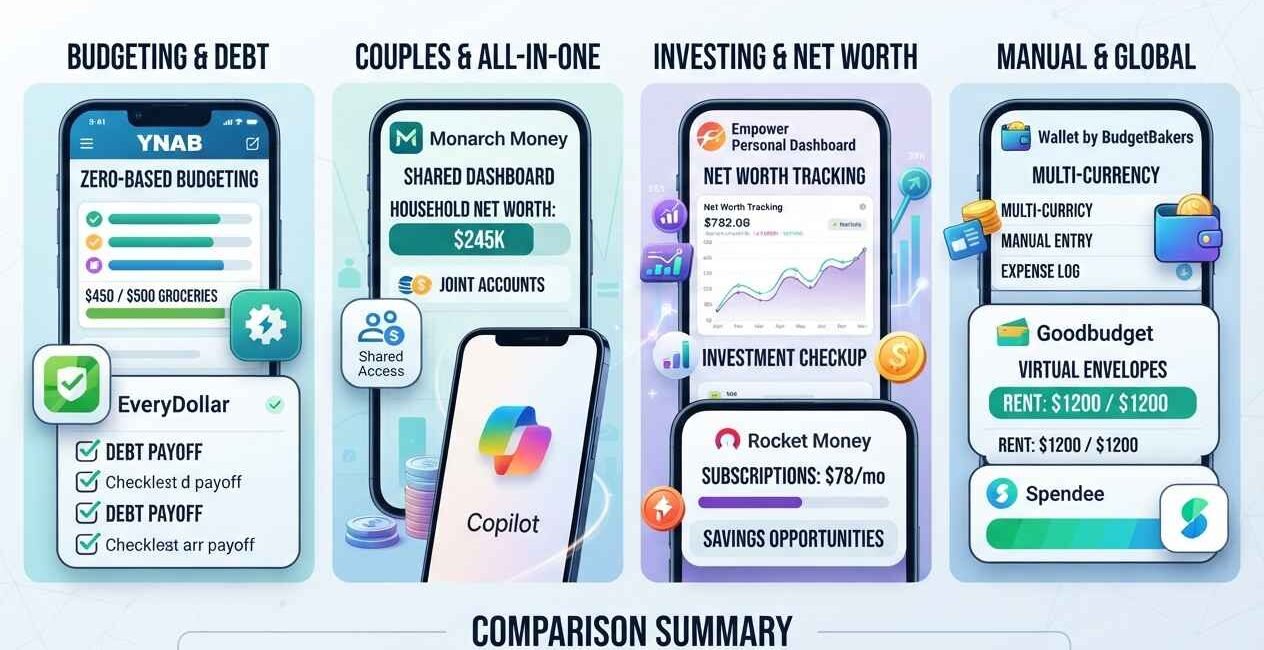
Quick answer: The best personal finance app depends on your style. YNAB suits people who want strict, zero-based budgeting. Monarch Money suits couples and all-in-one tracking. Copilot suits iPhone users who want a beautiful interface. Empower suits investors who care about net worth. Goodbudget and Wallet suit anyone who prefers manual entry or lives where bank syncing is limited.
What Is a Personal Finance App?
A personal finance app is a mobile or web application that helps you track income, spending, savings, debt and investments in one place. Most apps either link securely to your bank accounts, credit cards and loans to import transactions automatically, or let you enter transactions manually.
Once your data is in the app, it typically helps you:
- See exactly where your money goes each month
- Set budgets by category and get alerts when you overspend
- Track bills and subscriptions so nothing slips through
- Monitor your net worth (assets minus liabilities)
- Set and follow savings goals
- Plan for debt payoff
- Generate reports and trends over time
Other names for the same category include budgeting app, money management app, expense tracker and personal finance software. They overlap heavily, but budgeting apps focus on planning spending, while broader personal finance apps also cover net worth, investments and long-term goals.
How a Personal Finance App Works
Understanding the mechanics helps you judge both convenience and risk.
Step 1: Account connection. Most US, Canadian and European apps use an aggregation provider such as Plaid to connect to your bank. You log in through a secure window, and the app receives read-only access to transactions and balances. Your bank password is not stored by the app itself in most modern implementations.
Step 2: Automatic categorization. Each transaction is labelled (groceries, rent, fuel, dining and so on) using merchant data and rules. Better apps let you create custom rules so “Careem” always becomes “Transport”, for example.
Step 3: Budgeting and insights. You set spending limits or follow a method such as zero-based budgeting. The app compares reality with your plan and highlights trends.
Step 4: Ongoing monitoring. Push notifications, weekly summaries and goal trackers keep you accountable without forcing you to open a spreadsheet.
If your bank is not supported, you can still use manual apps, which we cover later in the section for users outside the US.
Types of Personal Finance Apps
Not all money apps are built for the same person. The main categories are:
Budgeting Apps
Focused on planning. You assign every dollar a job and track spending against it. Examples: YNAB, Goodbudget, EveryDollar.
Expense Tracker Apps
Focused on recording and categorizing what you spend, often manually or via receipts. Examples: Wallet by BudgetBakers, Spendee, Money Manager.
All-in-One Money Managers
Combine budgeting, net worth, investments, bills and goals. Examples: Monarch Money, Simplifi, Copilot.
Net Worth and Investment Trackers
Emphasize portfolio performance, retirement planning and total wealth. Example: Empower.
Bill and Subscription Managers
Detect recurring charges, help cancel unwanted subscriptions and sometimes negotiate bills. Example: Rocket Money.
Couples and Family Finance Apps
Support shared budgets and joint visibility. Examples: Monarch Money, Goodbudget.
Choose the category first, then the specific app. Picking a powerful all-in-one tool when you only want a simple expense log is a common reason people abandon apps after two weeks.
Must-Have Features to Look For
Before you commit to any personal finance app, check it against this list.
1. Reliable bank syncing (or excellent manual entry). If your institutions are supported, syncing saves hours. If not, make sure manual entry is fast.
2. Flexible categories and rules. You should be able to rename categories, split transactions and set automatic rules.
3. Budgeting method that matches your mindset. Zero-based, envelope, percentage-based or simple category limits.
4. Bill and subscription tracking. Recurring charges quietly drain budgets. Good apps flag them.
5. Goal tracking. Emergency fund, vacation, down payment or debt payoff, each with progress bars and target dates.
6. Net worth view. Assets, liabilities and trends over time keep you focused on the bigger picture.
7. Reports and exports. CSV export protects you from lock-in and helps at tax time.
8. Strong security. Encryption, two-factor authentication, biometric lock and a clear privacy policy.
9. Multi-device access and sharing. Especially important for couples.
10. Transparent pricing. Free trials, clear renewal terms and easy cancellation.
The 12 Best Personal Finance Apps in 2026
Features and pricing change often, so always confirm current details on each official website before you subscribe.
1. YNAB (You Need A Budget) — Best for Zero-Based Budgeting
YNAB is built around a simple rule: give every dollar a job. Instead of just watching what you spent, you decide in advance where your money goes, then adjust as life happens.
Pros
- Strong methodology that changes financial behavior
- Excellent educational content and community
- Goal tracking and “age of money” style insights
- Works on iOS, Android and web
Cons
- Paid subscription with no permanent free plan (trial available)
- Steeper learning curve than simple trackers
- Limited investment tracking
Best for: People living paycheck to paycheck, debt payoff, anyone who wants more control.
2. Monarch Money — Best All-in-One App for Couples
Monarch Money became a top destination for former Mint users. It combines budgeting, net worth, investments, goals and shared household access in a clean dashboard.
Pros
- Flexible budgeting (category or flex style)
- Shared access for partners
- Investment and net worth tracking
- Web and mobile apps
Cons
- Subscription required after trial
- Some advanced features take time to learn
Best for: Couples, families and anyone who wants everything in one place.
3. Copilot — Best Design for Apple Users
Copilot is known for a polished interface and smart categorization that learns from your habits. It has long been favored by iPhone, iPad and Mac users.
Pros
- Beautiful, intuitive design
- Smart categorization and recurring tracking
- Good investment and net worth views
Cons
- Subscription required
- Platform availability may be more limited than competitors (verify current support)
Best for: Apple ecosystem users who value design and speed.
4. Empower Personal Dashboard — Best for Net Worth and Investing
Empower (formerly Personal Capital) offers free financial tracking tools, including net worth, retirement planning and investment fee analysis, with optional wealth management services.
Pros
- Free dashboard for tracking
- Strong retirement and investment analysis
- Net worth tracking across accounts
Cons
- Budgeting tools are less detailed than dedicated budgeting apps
- You may receive outreach about paid advisory services
Best for: Investors and anyone focused on long-term wealth.
5. Quicken Simplifi — Best for Spending Plans
Simplifi by Quicken centers on a “spending plan”, showing what is left after bills, goals and planned spending.
Pros
- Clear view of available money
- Bill and subscription tracking
- Customizable watchlists and reports
Cons
- Subscription required
- Interface can feel busy at first
Best for: People who want a simple answer to “how much can I safely spend?”
6. Rocket Money — Best for Subscription Management
Rocket Money helps you find and cancel unwanted subscriptions, monitor recurring bills and track spending.
Pros
- Excellent subscription discovery
- Credit score and spending insights
- Optional bill negotiation services
Cons
- Some premium features are paid
- Bill negotiation may charge a share of savings (check the terms)
Best for: Cutting hidden recurring costs fast.
7. PocketGuard — Best for Simple “Safe to Spend” Tracking
PocketGuard shows how much you can spend after essentials, which suits beginners who dislike complicated setups.
Pros
- Simple, beginner-friendly view
- Bill and subscription insights
- Free and paid tiers
Cons
- Fewer advanced features than premium competitors
Best for: New budgeters who want simplicity.
8. Goodbudget — Best Envelope Budgeting App
Goodbudget digitizes the classic envelope method. You assign money to virtual envelopes and sync across devices, including with a partner.
Pros
- Works without automatic bank syncing
- Free plan available with limits
- Great for shared household budgeting
Cons
- Manual entry takes discipline
- Less automation than syncing apps
Best for: Couples, families and users in regions where bank syncing is limited.
9. EveryDollar — Best for Debt-Free Planners
EveryDollar from Ramsey Solutions supports a zero-based monthly budget and is often used alongside a debt payoff plan.
Pros
- Simple zero-based budget layout
- Free manual version available
- Aligns with a structured debt payoff approach
Cons
- Bank syncing typically requires a paid plan
- Investment tracking is limited
Best for: People following a step-by-step debt reduction plan.
10. Wallet by BudgetBakers — Best for Global Users
Wallet supports many currencies and works well for users who track manually or whose banks are not supported by major aggregators.
Pros
- Multi-currency support
- Manual tracking with reports and budgets
- Bank sync in supported regions
Cons
- Some features sit behind a premium plan
Best for: Travelers, expats and users outside the US.
11. Spendee — Best for Visual Expense Tracking
Spendee offers colorful charts, shared wallets and category budgets, which makes daily tracking feel less like a chore.
Pros
- Clean visuals
- Shared wallets for groups or couples
- Multi-currency support
Cons
- Advanced features require a paid plan
Best for: Visual thinkers and shared expenses.
12. Credit Karma — Best Free Option for Credit Monitoring
Credit Karma is free to use and focuses on credit scores, reports and account monitoring. After Mint’s closure, its users were guided here for basic tracking.
Pros
- Free credit monitoring
- Simple overview of accounts
- Useful credit-building insights
Cons
- Not a full budgeting tool
- Availability depends on country (mainly US, Canada and UK)
Best for: Users who mainly want credit visibility at no cost.
Comparison Table
| App | Best For | Bank Sync | Manual Entry | Free Option | Couples/Sharing |
|---|---|---|---|---|---|
| YNAB | Zero-based budgeting | Yes | Yes | Trial | Yes |
| Monarch Money | All-in-one, couples | Yes | Yes | Trial | Yes |
| Copilot | Design, Apple users | Yes | Yes | Trial | Limited |
| Empower | Net worth, investing | Yes | Limited | Free dashboard | No |
| Simplifi | Spending plan | Yes | Yes | Trial | Limited |
| Rocket Money | Subscriptions | Yes | Limited | Free tier | No |
| PocketGuard | Beginners | Yes | Yes | Free tier | No |
| Goodbudget | Envelope budgeting | Paid tier | Yes | Free tier | Yes |
| EveryDollar | Debt payoff | Paid tier | Yes | Free tier | Limited |
| Wallet | Global, multi-currency | Regional | Yes | Free tier | Yes |
| Spendee | Visual tracking | Regional | Yes | Free tier | Yes |
| Credit Karma | Credit monitoring | Yes | No | Free | No |
Availability and plans vary by country and change often. Confirm details on each provider’s website.
Free vs Paid Personal Finance Apps
A common question is whether a free personal finance app is good enough. The honest answer: it depends on how you earn and spend.
Free apps are enough if:
- You have a simple income and few accounts
- You are comfortable with manual entry
- You only need basic category tracking
Paid apps are worth it if:
- You want automatic syncing across many accounts
- You need reliable support and frequent updates
- You want couples’ sharing, advanced reports or goal planning
- You prefer an ad-free, privacy-focused experience
A useful rule: if a paid app helps you save or avoid overspending by more than its annual cost, it has paid for itself. Also remember that when a product is free, it is often funded by ads, referrals or product recommendations. That is not automatically bad, but read the privacy policy so you understand how your data is used.
Are Personal Finance Apps Safe?
Safety is the top concern for anyone searching for a personal finance app, and rightly so. You are handing over sensitive financial information. Here is how to evaluate risk.
Look for these protections:
- Encryption of data in transit and at rest
- Two-factor authentication (2FA) on your account
- Biometric or PIN lock on the mobile app
- Read-only access to your accounts (the app can view, not move, money)
- Clear privacy policy stating whether data is sold or shared
- Reputable aggregator or direct bank integration
Protect yourself:
- Use a unique, strong password with a password manager
- Turn on 2FA everywhere
- Never share your login codes
- Review connected apps periodically and remove ones you no longer use
- Be alert to phishing emails that imitate finance apps
For official guidance, review the Federal Trade Commission’s consumer advice on protecting personal information and the Consumer Financial Protection Bureau’s consumer tools. Both provide practical, trustworthy information on privacy, scams and money management.
If you are uncomfortable linking bank accounts at all, choose a manual-entry app. You lose automation but gain complete control over your data.
How to Choose the Right Personal Finance App (Step by Step)
Step 1: Define your main goal. Get out of debt, save for a home, stop overspending, or track investments? Your goal decides the app type.
Step 2: Check country and bank support. Confirm your bank works with the app before paying. This matters especially outside the US.
Step 3: Decide between automatic and manual. Automatic saves time. Manual builds awareness. Some people find manual entry keeps them more mindful of spending.
Step 4: Test the free trial or free tier. Give it at least two weeks. If you feel friction every day, switch.
Step 5: Review privacy and pricing. Look at renewal terms, data policy and export options.
Step 6: Commit for 90 days. Habits take time. Do not judge an app after three days.
How to Set Up Your First Budget in 30 Minutes
You do not need to be perfect. You just need to start.
Minutes 1–5: Create your account and secure it. Use a strong password and enable 2FA.
Minutes 6–10: Connect your accounts or add opening balances. Link your main checking account, credit cards and loans. If manual, enter current balances.
Minutes 11–15: Import and review transactions. Correct any wrong categories. Create a rule for recurring merchants.
Minutes 16–20: List fixed expenses. Rent, utilities, insurance, loan payments, subscriptions.
Minutes 21–25: Set category limits for variable spending. Groceries, transport, dining, entertainment. Use last month’s data as a baseline.
Minutes 26–30: Add one goal. An emergency fund of even a small amount is a powerful first target. Set a monthly contribution.
Then check the app for five minutes every day for the first month and do a 20-minute review at the end of each week.
Popular Budgeting Methods Your App Can Support
A good budgeting app should adapt to your method, not force one on you.
The 50/30/20 Rule. Roughly 50 percent of after-tax income to needs, 30 percent to wants and 20 percent to savings and debt repayment. Learn more in this Investopedia explanation of the 50/30/20 rule.
Zero-Based Budgeting. Income minus all planned spending, saving and debt payments equals zero. Every unit of currency has a purpose. See the Investopedia guide to budgeting for the fundamentals.
Envelope Budgeting. Allocate money into category “envelopes” and stop spending when an envelope is empty. Great for controlling impulse spending.
Pay Yourself First. Automatically move savings before you spend on anything else, then live on the remainder.
Cash Flow Tracking. Instead of detailed categories, you monitor only what comes in and what goes out. Simple and effective for busy people.
Pick one method, run it for three months, then adjust.
Best Personal Finance Apps Outside the US
Many top apps depend on bank aggregators that focus on the US, Canada, the UK and parts of Europe. If you live in Pakistan, India, the Middle East, Africa or other regions, automatic syncing may be limited or unavailable. That does not mean you cannot use a personal finance app. It means you should pick tools that support manual tracking and multiple currencies.
Good options for manual or multi-currency use:
- Wallet by BudgetBakers for multi-currency tracking and reports
- Spendee for visual budgets and shared wallets
- Goodbudget for envelope budgeting without bank sync
- Money Manager and similar expense trackers for lightweight daily logging
- A simple spreadsheet paired with a mobile app if you prefer full control
Tips for manual tracking:
- Log expenses at the end of each day, not at the end of the month.
- Use a few broad categories instead of dozens.
- Record cash spending immediately, since it is the easiest to forget.
- Include mobile wallet and bank transfer payments.
- Do a weekly review to catch mistakes early.
Local banking apps and mobile wallets often provide statements you can use to reconcile your manual records once a month.
How AI Is Changing Personal Finance Apps
Artificial intelligence is reshaping how people use money apps, and the trend will keep growing through 2026 and beyond.
Smarter categorization. Machine learning reduces the time you spend fixing mislabelled transactions.
Predictive alerts. Apps can warn you that your balance may fall short before a bill hits, based on past patterns.
Conversational assistants. Some apps now let you ask plain-language questions such as “How much did I spend on dining last month?” and receive instant answers.
Personalized insights. Instead of generic tips, AI can highlight your specific habits, such as rising subscription costs or weekend overspending.
Automated savings. Rules-based or AI-assisted tools can move small amounts into savings when your account has room.
Caution. AI features are helpful, but they can make mistakes. Always verify important numbers yourself, and treat AI suggestions as guidance, not financial advice. For major decisions such as investing, taxes, insurance or loans, consult a qualified professional.
Common Mistakes to Avoid
- Choosing an app based on popularity alone. The best app is the one you will actually open.
- Overcomplicating categories. Twenty-five categories create fatigue. Start with eight to twelve.
- Ignoring irregular expenses. Annual fees, gifts, repairs and travel wreck budgets when unplanned. Create “sinking fund” categories.
- Never reviewing your budget. A budget is a living plan. Adjust monthly.
- Skipping the emergency fund. Without a cushion, every surprise becomes debt.
- Forgetting to secure your account. Weak passwords and no 2FA put your data at risk.
- Quitting after one bad month. Overspending happens. Use it as data, not as a reason to stop.
- Ignoring subscriptions. Small recurring charges add up to a large annual cost.
15. Frequently Asked Questions
What is the best personal finance app overall?
There is no single best app for everyone. YNAB is excellent for strict budgeting, Monarch Money for couples and all-in-one tracking, Empower for investors, and Goodbudget or Wallet for manual and international use.
Is there a good free personal finance app?
Yes. Options include the free tiers of PocketGuard, Goodbudget, Spendee and Wallet, the free Empower dashboard for net worth tracking, and Credit Karma for credit monitoring. Free plans usually limit syncing, accounts or reports.
What replaced Mint?
Intuit shut down Mint in early 2024 and directed users to Credit Karma. Many former Mint users moved to Monarch Money, Simplifi, Copilot, YNAB or Empower depending on their needs.
Are personal finance apps safe to use?
Reputable apps use encryption, read-only account access and two-factor authentication. You should still use a strong unique password, enable 2FA and review the privacy policy. If you are uncomfortable, use a manual-entry app.
Do personal finance apps work without linking my bank?
Yes. Apps such as Goodbudget, Wallet, Spendee and EveryDollar’s free version support manual entry, which is useful if your bank is unsupported or you prefer privacy.
Can a personal finance app help me get out of debt?
It can. By showing where money leaks, enabling a debt payoff plan and tracking progress, an app makes it easier to follow strategies like the debt snowball or avalanche.
How much do personal finance apps cost?
Pricing ranges from free to a monthly or annual subscription. Costs and trial lengths change, so check the official pricing page before you sign up.
Which personal finance app is best for couples?
Monarch Money and Goodbudget are popular choices thanks to shared access and joint budgeting features. Spendee also supports shared wallets.
How often should I check my personal finance app?
A quick daily glance (about five minutes) and a weekly review (about 20 minutes) is enough for most people. Do a deeper monthly review to adjust budgets and goals.
Do I still need a spreadsheet if I use an app?
Not necessarily. Many people use an app for daily tracking and a spreadsheet for special projects like a home purchase plan. Choose whatever you will actually keep updated.
A personal finance app will not fix your finances by itself, but it makes the invisible visible. When you can see your spending, plan ahead and track progress, better decisions follow naturally.
Here is a simple way to move forward today:
- Pick one app from the list that fits your goal and country.
- Start the free trial or free plan.
- Connect or enter your accounts and set a basic budget.
- Add one savings goal.
- Review weekly and adjust monthly.
Stay with it for 90 days and you will likely learn more about your money than in the previous year. Consistency beats perfection every time.
This article is for educational purposes only and is not financial, tax or investment advice. App features, prices and availability change frequently. Verify details on each provider’s official website and consult a qualified professional for personal advice.

The Seecom is your trusted source for unbiased reviews, expert analysis, and comprehensive comparisons to help you choose with confidence.