






WhatsApp’s blue ticks (read receipts) tell the sender exactly when you’ve seen their message — and turning them off is one of the most searched WhatsApp privacy settings worldwide. Here’s exactly how to disable them, plus the trade-offs most people don’t realize until after they’ve turned the setting off.
What Are Blue Ticks (Read Receipts) on WhatsApp?
WhatsApp shows two grey ticks when a message is delivered, and turns them blue once the recipient opens the chat and views the message. Read receipts also apply inside group chats (shown as a list of who’s read a message) and to voice notes and media.
How to Turn Off Blue Ticks on WhatsApp
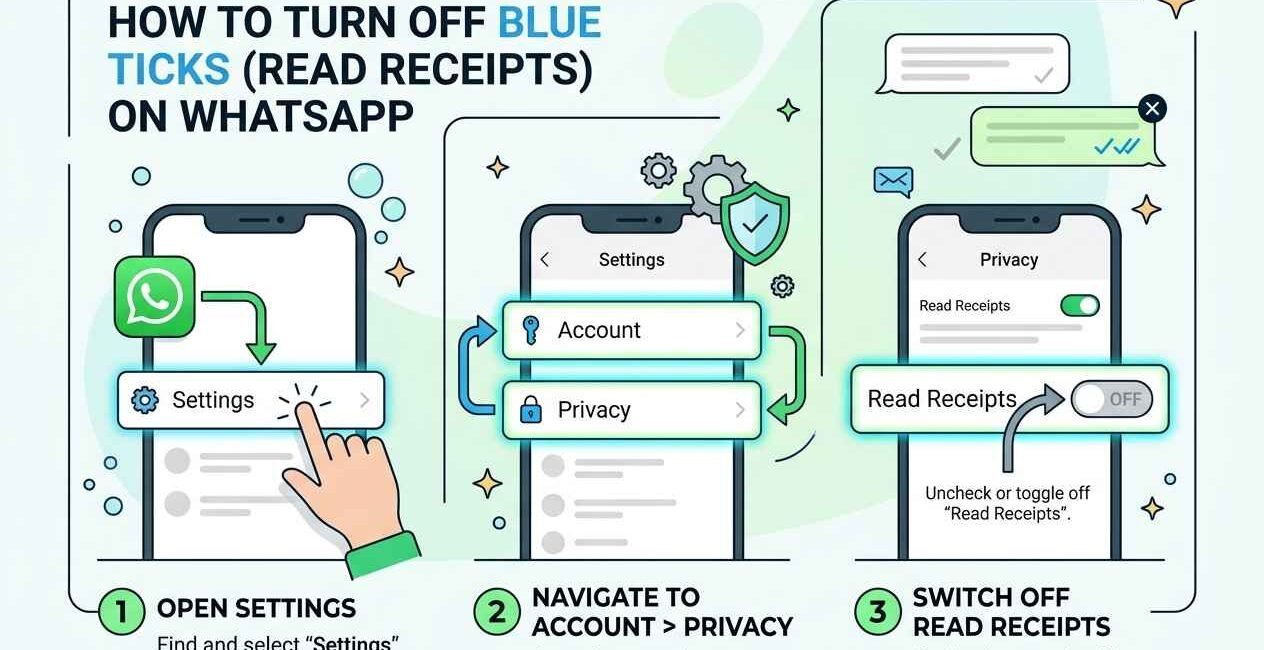
- Open WhatsApp and tap the three-dot menu (Android) or Settings (iPhone)
- Go to Settings > Privacy
- Scroll down and toggle off Read Receipts
This setting applies immediately to all one-on-one chats and takes effect the next time you open a conversation.
The Trade-Off Nobody Mentions: It Works Both Ways
WhatsApp explicitly states that if you turn off read receipts, you also won’t be able to see when other people have read your messages. It’s an all-or-nothing setting — you can’t hide your own read status while keeping visibility into everyone else’s. This is confirmed directly in WhatsApp’s official Help Center.
Do Group Chats Work the Same Way?
Turning off read receipts in your privacy settings also hides your read status in every group chat you’re part of. However, note that read receipts cannot be disabled for individual group message reactions — if you react to a message with an emoji, that still shows as an interaction regardless of your read receipt setting.
What Still Shows Even With Read Receipts Off
- Delivery ticks (grey) still show — only the blue “read” status is hidden, not delivery confirmation
- Online status and “last seen” are controlled separately, under Settings > Privacy > Last Seen and Online
- Typing indicators (“typing…”) still show unless you also disable them, though this isn’t a separate toggle — it’s tied to your overall privacy settings on some app versions
Can You Hide Read Receipts for Just One Person?
No — WhatsApp’s native settings only offer an all-or-nothing toggle for read receipts. There is no built-in way to hide your read status from one specific contact while keeping it visible to others. Be cautious of any third-party app or mod claiming to offer this — these typically violate WhatsApp’s terms of service and can put your account at risk of being banned.
A Workaround: Read Messages from the Notification Preview
If you want to read a message without triggering a blue tick at all (rather than just hiding it from the sender), you can often read the full text from the notification banner or Notification Center without opening the chat — this doesn’t mark the message as read in WhatsApp at all, blue ticks or not.
Related WhatsApp Privacy Settings
If message-read privacy matters to you, it’s worth reviewing your full privacy setup in one pass — profile photo visibility, last seen, and status visibility are all controlled from the same WhatsApp Privacy settings page, and can be set independently of the read receipts toggle.

The Seecom is your trusted source for unbiased reviews, expert analysis, and comprehensive comparisons to help you choose with confidence.

Other Articles

How to Fix Phone Not Charging (Android & iPhone, All Brands)
How to Fix TikTok Video Not Uploading (Stuck at 0%)