




The Ahrefs Backlink Checker is a free tool that shows who links to any website, how strong those links are, and where a competitor’s authority comes from. You type in a domain or URL, and within seconds you see referring domains, backlink counts, Domain Rating (DR), anchor text, and more. If you want to understand a link profile without paying for a full SEO suite, it is one of the fastest places to start.
In this guide, you will learn exactly what the Ahrefs Backlink Checker shows, how to use it step by step, and where the free version stops. We also compare it with Ahrefs Free, the paid plans with current prices, and the best alternatives. Along the way, you will get practical tips for judging link quality, spotting spammy links, and turning backlink data into a link building plan.
The Ahrefs Backlink Checker is Ahrefs’ free tool for viewing the backlink profile of any site or page. It reports backlinks, referring domains, Domain Rating, Ahrefs Rank, anchor text and link types, but it shows only a preview of the full dataset. Complete, unlimited backlink data needs a paid Ahrefs plan (from $29 per month). If you only need data for your own site, you can verify it for free in Ahrefs Free.
Key takeaways
- The free checker works on any website, so you can research competitors in seconds.
- Ahrefs Free is a different product: it is free, but it only covers sites you verify.
- Domain Rating is a relative, link-based score. It is not a Google metric.
- Most sites never need Google’s disavow tool, even when a backlink tool flags “toxic” links.
- Google Search Console is still the best free first-party source for your own links.
What Is the Ahrefs Backlink Checker?
A backlink is a link from one website to another. Search engines treat many quality backlinks as a sign that a page deserves attention. For a plain-language definition, see the Wikipedia article on backlinks.
The Ahrefs Backlink Checker is a free web tool built on Ahrefs’ own crawler data. Ahrefs says its crawler is the second most active on the web after Google’s, and that its index holds more than 15 trillion live backlinks. The company also states that the index refreshes every 15 minutes. You can read more about the underlying data on the Ahrefs big data page and the AhrefsBot information page.
In short, the tool answers three questions. Who links to this site? How strong are those links? Which pages attract the most links? Ahrefs describes the free version as a preview of its premium Site Explorer, so you get real data, but with limits.
Ahrefs Backlink Checker Quick Facts
| Fact | Detail |
|---|---|
| Tool name | Ahrefs Backlink Checker (free tool) |
| Cost | Free to try; paid plans start at $29 per month |
| Works on | Any domain, subdomain, URL or path |
| Index refresh | Every 15 minutes, according to Ahrefs |
| Index size | Over 15 trillion live backlinks, according to Ahrefs |
| Main metrics | Backlinks, referring domains, DR, Ahrefs Rank, UR, anchors, dofollow and nofollow |
| Best for | Quick competitor checks, link audits and link prospecting |
| Free option for your own site | Ahrefs Free and Google Search Console |
How to Use the Ahrefs Backlink Checker (Step by Step)
Using the tool takes less than a minute. Follow these steps to get useful results the first time.
- Open the tool. Go to the free Ahrefs Backlink Checker page.
- Enter a target. Type a domain such as example.com, or paste a full page URL. Choose whether to include subdomains.
- Run the check. Click the button to check backlinks and wait for the report.
- Read the headline numbers. Note the number of backlinks, referring domains, Domain Rating, and Ahrefs Rank.
- Study the growth chart. The referring domains graph shows whether the site is gaining or losing linking websites over time.
- Scan the backlink list. Filter by link type, such as dofollow or nofollow, and look at the DR of the linking sites.
- Check the anchors. The anchor text report shows which words other sites use when they link to the target.
Next, install the Ahrefs SEO Toolbar for Chrome or Firefox. With a free Ahrefs account, it shows DR and UR for any page as you browse. As a result, you can vet a possible link partner before you send a single email.
What the Free Ahrefs Backlink Checker Shows You
The free report covers more than most people expect. According to the tool page, you can see the following.
Headline metrics
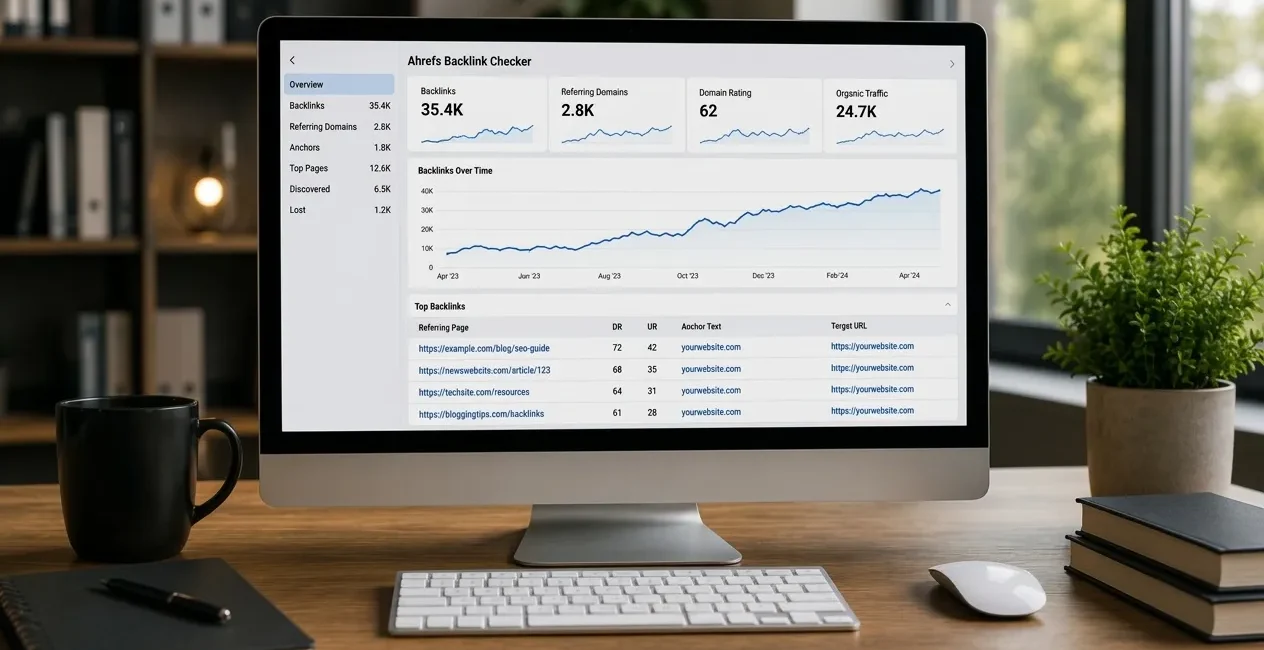
You see the total backlinks, the number of referring domains, Domain Rating, and Ahrefs Rank. Together, these give you a fast read on a site’s backlink strength.
Referring domains over time
An interactive chart shows the cumulative growth or decline of linking domains. For example, a steady upward line usually points to healthy, ongoing link acquisition, while a sudden spike can signal a campaign or a batch of low-quality links.
The backlinks report
This report lists the pages that link to your target. You can filter by link type, platform, DR, UR and referring domains. Moreover, Ahrefs shows estimated organic traffic for each linking page and each linking website, which helps you separate real, visited pages from ghost pages.
Referring domains report
Here you see every linking website with domain-wide metrics, such as DR, followed referring domains, and links to the target. You can also search the list for a specific domain.
Best by links
This report reveals the most linked-to pages on a site. Consequently, it shows what kind of content attracts links in a niche. A “404 not found” filter also surfaces popular pages that are now broken, which is a classic broken link building opportunity.
Outbound link data
The Linked domains, Broken links and Anchors reports describe the links going out from a site. They help you see who a competitor links to and which outbound links are dead.
Extra features
Ahrefs also lists followed versus nofollowed link breakdowns, anchor text analysis, an option to add spammy links to a disavow file, export to PDF and CSV, and filters in every report. Keep in mind that free access is limited, so the number of rows and exports available to you can differ from a paid account. Some third-party write-ups mention a sample of roughly the top 100 backlinks, but Ahrefs does not publish a fixed limit on the page, so test it on your own target.
Domain Rating and URL Rating Explained
Domain Rating is the headline metric inside the Ahrefs Backlink Checker. It deserves a closer look, because people misuse it all the time.
What DR measures
According to the Ahrefs help center, Domain Rating shows the strength of a website’s backlink profile compared with other sites in the Ahrefs database, on a 100-point scale. The scale is logarithmic, so moving from 70 to 80 is much harder than moving from 20 to 30.
How DR is calculated
Ahrefs explains in its Domain Rating guide that the calculation works in a way similar to PageRank, but between websites. Each linking domain passes a share of its own rating to the sites it links to. That share shrinks as the linking site links out to more domains.
Several rules follow from this design:
- Only the first link from a given domain affects your DR. Extra links from the same domain add nothing.
- A site that links to you only through nofollow links will not raise your DR.
- DR is purely link-based. It ignores traffic, domain age and brand popularity.
URL Rating
URL Rating (UR) does the same job at page level. Ahrefs notes that DR correlates with rankings reasonably well, but UR tends to correlate better. Therefore, use UR when you judge a single linking page.
The right way to use DR
DR is relative, so a “good” score depends on your competitors. Compare your DR with sites that rank for your target keywords. Also remember that Google does not use DR. It is an Ahrefs metric, and Ahrefs itself advises against chasing the number for its own sake. Because Ahrefs recalculates its scores as its index changes, your DR can move even when you did not gain or lose a single link.
Free Backlink Checker vs Ahrefs Free vs Paid Plans
Many beginners confuse three different things, so here is the difference.
- Free Backlink Checker: a public tool that works on any site, with limited data.
- Ahrefs Free: a free account (formerly called Ahrefs Webmaster Tools) for sites you own and verify.
- Paid Ahrefs plans: full access to Site Explorer, Keywords Explorer, Rank Tracker and more, including competitor research without limits.
| Feature | Free Backlink Checker | Ahrefs Free | Paid plans |
|---|---|---|---|
| Works on any website | Yes (preview data) | No, verified sites only | Yes |
| Backlinks visible | Limited sample | Up to 1,000 at once | All known links |
| Competitor analysis | Limited | No | Yes |
| Site Audit | No | 5,000 crawl credits per project each month | Yes, with higher limits |
| Price | $0 | $0 | From $29 per month |
According to the Ahrefs Webmaster Tools page, Ahrefs Free supports an unlimited number of verified websites. It also includes Web Analytics (up to 1 million events per project) and a Site Audit that checks for 170+ technical and on-page issues. Ahrefs states that the tools and data are the same as in the paid product, but subscribers get higher allowances and can analyze competing sites.
For site owners, the best approach is to use both free options together. Ahrefs Free gives you rich data about your own links, and the free checker lets you peek at competitors.
Ahrefs Pricing in 2026
If the free tools run out of room, you will need a paid plan. The official Ahrefs pricing page is the only source that is always current, but independent trackers checked in late October and early November 2026 report the following monthly prices.
| Plan | Monthly price | Best for |
|---|---|---|
| Starter | $29 | Beginners and small sites |
| Lite | $129 | Freelancers and small businesses |
| Standard | $249 | Professional SEOs and content teams |
| Advanced | $449 | Agencies and in-house teams |
| Enterprise | $1,499 (annual commitment) | Large organizations |
Annual billing on Lite, Standard and Advanced saves up to 17 percent, which equals roughly two free months. Extra user seats cost more on every tier, and add-ons can raise the final bill. Before you buy, check the data limits, the number of projects, and the depth of historical data on each plan, because these limits change what you can actually do. If you only need to view a few backlink profiles each month, the free tools plus Google Search Console may be enough.
You can also read the official Starter plan announcement to see what the cheapest tier includes.
How to Judge Backlink Quality
Seeing a long list of links is easy. Knowing which ones matter is the hard part. Use the following checklist whenever you review a profile in the Ahrefs Backlink Checker.
Relevance
A link from a site in your own niche usually carries more value than a random link from an unrelated site. For instance, a cooking blog linking to a recipe tool makes sense. A casino site linking to that same tool does not.
Authority of the linking page
Check the UR and DR, but do not stop there. A page on a high-DR site can still be weak and unvisited.
Real traffic
Ahrefs shows estimated organic traffic for linking pages and domains. If a page gets no search traffic at all, it often means the page is thin, new, or de-indexed. As Ahrefs itself points out in its DR explanation, it is worth asking whether a site gets any organic traffic and whether it is topically relevant to yours.
Link placement
Editorial links inside the body of an article are better than links in a footer, sidebar, or author bio. Contextual links read as recommendations.
Anchor text
Natural profiles show a mix of brand names, bare URLs, and descriptive phrases. In contrast, many exact-match commercial anchors can look manipulative. Use the Anchors report to spot patterns.
Follow status
Dofollow links pass authority in the classic sense. Nofollow, UGC and sponsored links still bring traffic and brand exposure, even though they do not raise DR.
How to Find Spammy Backlinks (and When to Disavow)
Every site collects some junk links over time. In most cases, that is normal and harmless.
Signs of a spammy link
- The linking page is unrelated to your topic.
- The linking site has no traffic and a lot of outbound links.
- The anchor text is stuffed with commercial keywords.
- The link sits in a network of near-identical pages.
Google’s own guidance on link spam explains which link practices break its policies, such as buying links or taking part in link schemes.
Beware of “toxic” scores
Several SEO tools label some domains as toxic. Those scores are each vendor’s own estimate, not Google data. As a result, never upload such a list to Google without reviewing every link yourself.
When to use the disavow tool
Google’s disavow links tool exists for rare cases. Typical examples include a manual action for unnatural links, or a past history of paid link schemes. Most websites never need it, because Google is generally good at ignoring spam on its own. Misuse can also hurt you, since you might disavow links that actually help your rankings. Also note that a disavow file can take weeks or months to be processed, and no report confirms link by link that Google discounted a given link.
If you do need it, the Ahrefs Backlink Checker lets you add suspicious links to a disavow file, which you then import into Google’s tool. Always try to get the link removed by contacting the site owner first.
Competitor Research With the Ahrefs Backlink Checker
Beyond auditing your own links, the tool works well as a spy glass. Here is a simple routine.
- Pick three competitors that outrank you for your main keywords.
- Run each domain through the checker and note their DR, referring domains, and growth trend.
- Open the Best by links report to see which pages attract the most links.
- Look for patterns. Do they win links with statistics pages, free tools, original research, or guides?
- Use the broken pages filter to find dead pages that still have many links.
This process turns raw data into content ideas. If a competitor’s calculator earns hundreds of links, you now know that a better calculator could earn links too. In addition, the Ahrefs article on who links to your site walks through the same research workflow in more detail, including how to use the Best by links report.
Ahrefs also runs two sibling free tools worth bookmarking: the Website Authority Checker and the Broken Link Checker.
Link Building Ideas After You Check Backlinks
Data without action does nothing. Once you know where competitors earn links, use these tactics.
Broken link building
Find a dead page on a relevant site that still attracts links. Create a better replacement page, then ask the linking sites to update their links. This tactic works because you are helping webmasters fix a problem.
Skyscraper-style content
Locate a topic that already earns many links, then publish a clearly more useful version. Add fresh data, better examples, and a cleaner design.
Digital PR and original data
Journalists and bloggers link to numbers they can cite. A small survey or a data roundup can attract links for years.
Unlinked mentions
Ahrefs notes that backlinks often start as mentions. Brand mentions without links are easy wins, because the writer already knows you. A polite email asking for a link is usually enough.
Guest contributions
Write useful articles for respected sites in your niche, but only when the audience truly fits. Avoid mass-produced guest posts on link farms.
For deeper tactics, read the Ahrefs beginner’s guide to link building, the list of 9 easy link building strategies, and the roundup of link building tools. For a broader comparison of free checkers, see Ahrefs’ article on free backlink checkers.
Ahrefs Backlink Checker Alternatives
No single tool sees every link on the web, so smart marketers combine two or three sources. The table below compares the main options.
| Tool | Free access | Strength |
|---|---|---|
| Google Search Console | Free, own site only | First-party data straight from Google |
| Bing Webmaster Tools | Free, own site only | A second, independent view of your links |
| Semrush Backlink Analytics | Limited free access; Pro plan reported from $139.95 per month | Backlink gap and audit tools inside a full marketing suite |
| Moz Link Explorer | Limited free access | Domain Authority and Spam Score metrics |
| Majestic | Limited free access | Link Context and trust-based metrics |
Google Search Console
For your own site, start here. In Search Console, open Links, then External links, then Top linking sites. According to Ahrefs, this report lists up to 1,000 top linking sites. However, it lacks quality metrics such as DR and traffic estimates, so pair it with a third-party tool. The Semrush blog has a helpful walkthrough on how to see who links to your site.
Semrush, Moz and Majestic
Semrush bundles backlink data with keyword and content tools. Moz is known for Domain Authority and Spam Score. Majestic focuses on link data and offers bulk checking in its paid plans. See the Ahrefs versus Semrush comparison for Ahrefs’ own take on how the two compare.
Limits and Common Mistakes
Even the best backlink checker has blind spots. Keep these points in mind.
- No index is complete. Different tools find different links. Compare at least two sources before you conclude that a link is missing.
- Free data is a preview. If a result looks too small, you are probably hitting the free limit.
- DR is not a ranking factor. Do not buy links to raise it. That can violate Google’s spam policies.
- Quantity does not beat quality. A few strong, relevant links usually outperform hundreds of weak ones.
- Old data can mislead. Check the first-seen and last-seen dates before you act on a link.
- Do not disavow in a panic. A ranking drop is rarely caused by random spam links.
Backlinks and AI Search
Search is changing, and Ahrefs has changed with it. The company now offers Brand Radar for tracking brand visibility in AI search, plus a free AI Visibility Checker. These tools exist because people increasingly get answers from AI assistants as well as from classic results pages.
So, do backlinks still matter? Yes, because they help your pages get discovered, crawled and trusted. Nobody outside the AI companies knows exactly how much links influence which sources an AI assistant cites. Therefore, treat backlinks as one signal among several. Clear, accurate content, strong brand mentions and good site structure matter alongside them.
Is the Ahrefs Backlink Checker Worth Using?
For most site owners, the answer is yes, with the right expectations.
Use the free checker if you want quick backlink snapshots, you are validating a link prospect, or you are researching a competitor once in a while.
Use Ahrefs Free if you own a site and want deeper data about your own links, plus technical audits, without paying.
Upgrade to a paid plan if you run link building campaigns, manage client sites, or need full data and historical trends.
Consider alternatives if you already pay for a different suite, or if your budget is tight and Google Search Console covers your needs.
Overall, the Ahrefs Backlink Checker is a strong entry point. It gives beginners a clear picture of link authority, and it gives experts a quick sanity check before they open heavier tools.
Is the Ahrefs Backlink Checker really free?
Yes. The basic tool is free to use on any website, but it shows only a preview of the data. Full, unlimited reports require a paid Ahrefs plan, which starts at $29 per month. Your own verified websites can also be analyzed for free in Ahrefs Free.
How many backlinks does the free Ahrefs Backlink Checker show?
Ahrefs does not publish a fixed number on the tool page, and some third-party write-ups mention a sample of about the top 100. In Ahrefs Free, verified site owners can view up to 1,000 backlinks at a time.
How accurate is the Ahrefs Backlink Checker?
Ahrefs claims one of the largest live backlink indexes, updated every 15 minutes. Still, no tool finds every link on the web. For the best accuracy, compare Ahrefs data with Google Search Console.
What is a good Domain Rating?
There is no universal number. DR is a relative score on a logarithmic 0 to 100 scale, so compare your site with competitors in the same niche. A site with a DR close to its top rivals is usually in a healthy position.
Can I check competitor backlinks for free?
Yes, with the free Ahrefs Backlink Checker, although the data is limited. Ahrefs Free does not allow competitor analysis, because it only covers verified sites. Paid plans unlock full competitor research.
Do nofollow links count in the Ahrefs Backlink Checker?
The tool shows them, and you can filter them out or in. However, according to Ahrefs, a site that links to you only with nofollow links will not increase your Domain Rating.
Should I disavow bad backlinks?
Usually not. Most sites never need to. Consider it only after a manual action for unnatural links, or if you have a history of paid link schemes. Always review links manually first.
How often does Ahrefs update its backlink data?
Ahrefs states that its backlink index is updated with fresh data every 15 minutes.
What is the difference between the Ahrefs Backlink Checker and Site Explorer?
The Backlink Checker is a lightweight, free front end that previews backlink data. Site Explorer is the full Ahrefs tool with complete reports, deeper filters and higher limits.
The Ahrefs Backlink Checker gives you a fast, free window into any website’s link profile. You can see who links where, compare Domain Rating, study anchors, and find the pages that attract the most links. Although the free version is a preview, it is more than enough for quick audits and competitor spot checks.
To get the most from it, combine tools. Use Google Search Console for your own verified data, Ahrefs Free for deeper insights on your sites, and the free checker for competitor research. Upgrade only when your link building work truly needs complete data.
Now it is your turn. Open the Ahrefs Backlink Checker, enter your domain and your top competitor, and write down three link opportunities you can act on this week. Then explore more guides on TheSeecom to keep improving your SEO.

The Seecom is your trusted source for unbiased reviews, expert analysis, and comprehensive comparisons to help you choose with confidence.

Other Articles
How to Lose Weight: 12 Proven Steps That Work (Safely)